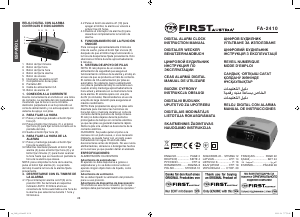
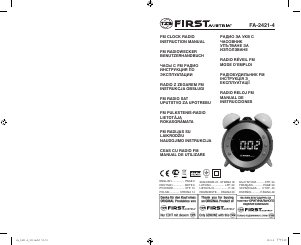
Наръчник First Austria FA-2420 Радио с будилник

Нуждаете се от ръководство за First Austria FA-2420 Радио с будилник? По-долу можете да видите и изтеглите PDF ръководството безплатно на български език. В момента този продукт има 3 често задавани въпроси, 0 коментари и има 2 гласове със среден рейтинг на продукта 100/100. Ако това не е ръководството, което искате, моля свържете се с нас.

Продуктът ви дефектен ли е и ръководството не предлага решение? Отидете в Repair Café за безплатни ремонтни услуги.

Наръчник

Loading…

4
5
Note: Ensure that the FM antenna is completely unrolled and extended for best FM
reception.
TO SET/RECALL THE RADIO PRESETS
1. Press the ON/OFF button (4) to turn the unit ON.
2. Use the Tune+ or Tune- button to select the desired FM station.
3. Press and hold the memory/memory+ button; “P02” will blink in the display.
4. Use the Tune+ or Tune- button to select the desired preset station (P01-P10).
5. Press the memory/memory+ button again to set the preset.
Repeat steps 2 through 5 to set more presets.
The unit can preset 10 stations totally for FM.
When “P01-P10” is blinking, press the Tune+ or Tune- button to select the preset
number.
When recalling preset stations, press memory/memory + button to select the preset
number.
AUTOMATIC TIME SYNC WITH RDS (Radio Data System) radio
1. Press the ON/OFF button to turn the unit on.
2. Use the Tune + or Tune – button to select the desired RDS (Radio Data System)
radio station. to take advantage of Automatic Time Sync. (Needs 1 ~ 3 minutes)
Listening to nature sounds
Six nature sounds are available to enhance ambiance.
1. Press the POWER button to switch the music mode on.
2. Press and hold the SOURCE button to select the nature sound mode (n-1, n-2, n-3,
n-4, n-5, n-6 shows on the display).
3. Press the BACKWARD or FORWARD button to select a nature sound.
4. Press the POWER button to switch the nature sound mode off.
SLEEP OPERATION
When listening to radio, press Sleep button (3) to enter sleep mode. You can just adjust
the sleep timer from 90mins to 15mins by pressing repeatedly the Sleep button (3).
When sleep timer is selected, the unit will automatically turn off once time is up.
NAP FUNCTION (COUNT DOWN TIMER)
In radio off mode, press NAP (10) button to enter into the NAP mode, the NAP time 90
will be displayed during 5 seconds. In the meantime, press repeatedly NAP (10) button
to set the duration time from 90min to 10min.
Once time is up, the alarm buzzer will sound for 60 min and then shut off automatically.
To stop the alarm buzzer, press the Radio ON/OFF button (4).
Press the NAP (10) button has no effect during alarm operation.
Press Radio ON/OFF button (4) to cancel the NAP function.
DIMMER CONTROL
The dimmer switch (3) allows you to set the brightness of the LED display to high and
low 2 levels.
1. The clock display with dimmer low is the default setting.
2. It will consume more power if you set the clock display with dimmer higher
PROJECTION UNIT
Focus setting: Adjust the projection clock brightness/focus by turning the brightness/
focus adjustment wheel until the projected time is clearly shown on the ceiling or wall.
Adjust projected direction.
To ip projected image by 180°, press 180° ip button.
NOTE: PROJECTS TIME IMAGE ON THE CEILING OR WALL OF A DARKENED
ROOM. MAXIMUN PROJECTION DISTANCE IS 3-9 FEET.
ENGLISH
ENGLISH
Built-in USB charger charging external device
Connect an external device (e.g. smartphone, mp3 player) via a USB cable (not
provided) to the USB jack on the back of the radio for charging. The radio cannot access
the contents in the connected external device.
WARNING
1. No naked ame sources, such as lighted candles, should be placed on the apparatus.
2. Do not place the product in closed bookcases or racks without proper ventilation.
3. Where the mains plug is used as the disconnect device, the disconnect device shall
remain readily operable.
4. The ventilation should not be impeded by covering the ventilation openings with
items, such as newspapers, table-cloths, curtains, etc.
5. It shall not be exposed to dripping or splashing and that no objects lled with liquids,
such as vases, shall be placed on the apparatus.
6. Do not connect FM antenna to outside antenna.
7. The unit should not be exposed to direct sunlight, very high or low temperature,
moisture, vibrations or placed in dusty environment.
8. Do not use abrasive, benzene, thinner or other solvents to clean the surface of the
unit. To clean, wipe it will mild non-abrasive detergent solution and clean soft cloth.
9. Never attempt to insert wires, pins or other such objects into the vents or opening of
the unit.
10. Disconnect device warning: Mains plug is used as the connection, so it should always
remain ready operate.
11. Batteries shall not be exposed to excessive heat such as sunshine, re or the like.
CAUTION
Danger of explosion if battery is incorrectly replaced.
Replace only with the same or equivalent type.
Repairs and other work undertaken on the unit must only be done by authorised
specialist personnel!
SPECIFICATIONS
Frequency range: FM 87.5-108MHz
Amplier Rated Output Power: 350 mW RMS
Battery backup: 3 V (1x3 V CR2032 Flat Lithium battery)
(Not included)
AC power adaptor: Input: AC 100-240 V, 50/60 Hz
Output: DC 5 V 1.5 A
Environment friendly disposal
You can help protect the environment! Please remember to respect the local
regulations: hand in the non-working electrical equipments to an appropriate waste
disposal center.
Изтегли ръководство на български (PDF, 0.59 MB)
(Помислете за околната среда и отпечатайте това ръководство само ако наистина е необходимо)

Loading…

оценка

Кажете ни какво мислите за First Austria FA-2420 Радио с будилник, като дадете оценка на продукта. Искате ли да споделите опита си с този продукт или да зададете въпрос? Моля, оставете коментар в долната част на страницата.
Доволни ли сте от First Austria FA-2420 Радио с будилник?
да Не
100%
0%
2 гласове

Присъединете се към разговора за този продукт

Тук можете да споделите какво мислите за First Austria FA-2420 Радио с будилник. Ако имате въпрос, първо прочетете внимателно ръководството. Заявката за ръководство може да бъде направена чрез нашата форма за контакт.

Повече за това ръководство

Разбираме, че е хубаво да имате хартиено ръководство за вашия First Austria FA-2420 Радио с будилник. Винаги можете да изтеглите ръководството от нашия уебсайт и да го отпечатате сами. Ако искате да имате оригинално ръководство, препоръчваме ви да се свържете с First Austria. Може да са в състояние да предоставят оригинално ръководство. Търсите ли ръководството на вашия First Austria FA-2420 Радио с будилник на различен език? Изберете предпочитания от вас език на началната ни страница и потърсете номера на модела, за да видите дали го предлагаме.

Спецификации

Марка First Austria
Модел FA-2420
Категория Радиостанции с будилник
Тип файл PDF
Размер на файла 0.59 MB

Всички ръководства за First Austria Радиостанции с будилник
Още ръководства на Радиостанции с будилник

Често задавани въпроси за First Austria FA-2420 Радио с будилник

Нашият екип за поддръжка търси полезна информация за продукта и отговори на често задавани въпроси. Ако откриете неточност в нашите често задавани въпроси, моля, уведомете ни, като използвате нашата форма за контакт.

Какво означават AM и PM? Проверен

AM означава Ante Meridiem и показва, че часът е преди обяд. PM означава Post Meridiem и показва, че часът е след обяд.

Това беше полезно (292) Прочетете още

Какво е GMT? Проверен

GMT означава средно време по Гринуич (понякога наричано UTC, което означава координирано универсално време). Това е времето за географска дължина 0, която минава през Гринуич близо до Лондон.

Това беше полезно (167) Прочетете още

Каква е разликата между FM и AM? Проверен

FM и AM са и двете форми на модулация, използвани за предаване на сигнал. FM означава честотна модулация, а AM означава амплитудна модулация. AM е най-старата форма на модулация. Най-голямата разлика е, че FM сигналът е много по-силен от AM сигнала.

Това беше полезно (166) Прочетете още
Наръчник First Austria FA-2420 Радио с будилник

Свързани продукти

Свързани категории

×
Download